
When in Doubt...Call us First
Scammers rely on urgency. We don't. If someone is:
- Asking for Money
- Asking for account information
- Requesting a password or verification code
- Making threats
- Telling you to keep a transaction secret
- Pressuring you to act immediately
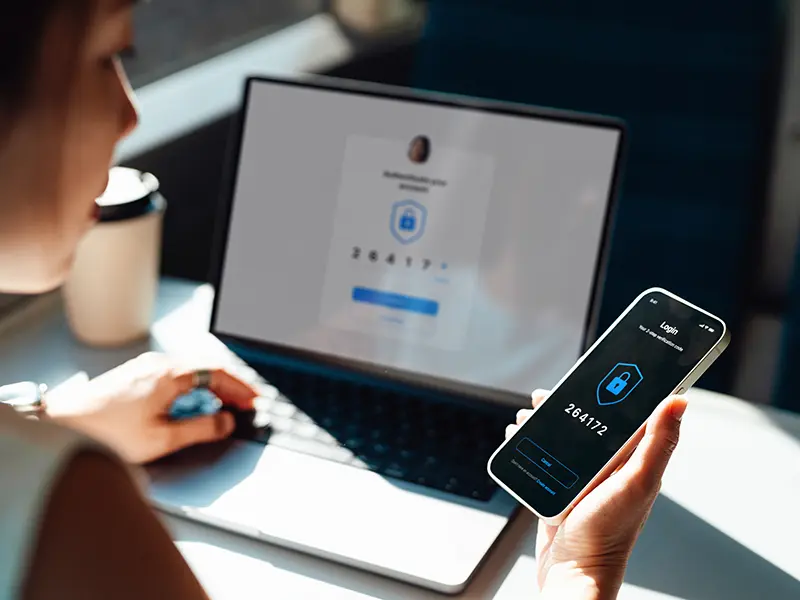

Verify Before You Act
Scammers can make phone numbers, websites, emails, texts, and search results appear legitimate. Before you click, call, or send money, verify the. source through a trusted contact method. When in doubt, pause and double-check.
- Visit the company's official website by typing the web address directly into your browser.
- Use the contact information, such as phone number, listed inside the app, on your billing statement, or on the back of your card/device.
- Be wary of anyone who asks for remote access to your computer, passwords, verification codes, or payment by gift card, wire transfer, or cryptocurrency.
Meet the Fraud Team
Our fraud team works behind the scenes every day to help protect members from scams, identity theft, and suspicious account activity.
 Stefanie M. |
What We Do
- Monitor for unusual account activity
- Help members who may have fallen victim to a scam
- Investigate fraud claims and disputes
- Educate members on current scam trends
- Partner with law enforcement and industry experts when needed
What We Want You to Know
Fraud can happen to anyone. Scammers are becoming more sophisticated every day, leveraging tools like AI to look more authentic with messaging. Even the smartest of people can fall victim to a scam. If something feels off, don't be embarrassed - we're here to help.
Our Best Tip: Pause. Don't Panic. Call CSE First.
Scammers rely on urgency and pressure. We want you to know you can always contact us before sending money, sharing information, or making a financial decision that doesn't feel right.
Common Scams
Tech Support Scams
What it is:
A pop-up email, text, or phone call claims your computer has a virus or security problem. The scammer pretends to be Microsoft, Apple, Google, or another trusted tech company and tries to gain access to your device or convince you to pay for "support".
Red Flags:
- A pop-up says your computer is infected and tells you to call a phone number
- Someone claiming to be "Support" calls you unexpectedly
- Someone requests remote access to your computer
- A demand for payment using gift cards, wire transfers, cryptocurrency or other payment app
- Loud alarms, flashing wawrnings, or messages saying your device will be locked appear on the screen
What to do:
Close the pop-up and do not call the number provided. If you really need tech support, go directly to a legitimate company's website or use contact information that you know is valid.
Never Google a phone number for tech support and assume the first result is legitimate. Scammers often pay for ads or create fake websites that appear at the top of search results.
Call us first if someone claiming to be Microsoft, Apple, Google, or another tech company asks you to send money, buy gift cards, move money, or share banking information. We're happy to help you determine if it's a scam.
Romance & Friendship Scams
What it is:Somone builds an online relationship and eventually asks for money, gifts, or investment help.
Red Flags:
- Strong emotional connection very quickly
- Refusal to meet in person or video chat
- Requests for money, gift cards, or investments
- Stories involving emergencies or financial hardship
What to do: Be cautious of anyone you've only met online, especially if they ask for money.
Call us first before sending money to someone you've met online.
Cryptocurrency & Investment Scams
How It Happens:
A scammer builds trust over days or weeks, then introduces a "can't miss" investment opportunity, often involving cryptocurrency.
Red Flags:
- Someone you met online is giving investment advice
- Pressure to invest quickly
- Requests to send money through crypto platforms
- Guaranteed returns or "risk-free" investments
What to do: Never invest based solely on advice from someone you've only met online.
Call us first if someone is asking you to move money for an investment like this.
Government & Bank Impersonation Scams
What it is:Scammers pretend to be your bank, the IRS, Social Security, or another government agency.
Red Flags:
- Threats of arrest, account closure, or fines
- Requests for passwords, PINs, verification codes, or login credentials
- Pressure to act immediately
What to do: Hang up and contact the organization directly using a trusted phone number.
Call us first if someone claims to be from CSE or the government. Don't share information unless you are absolutely confident in who you are speaking to.
Wrong Number Text Scams
What it is:A stranger texts you "by mistake" and starts a friendly conversation. Their goal is often to build trust before asking for money or investment help.
Red Flags:
- Random texts from unknown numbers
- Conversations that quickly become personal
- Investment or money discussions after building a friendship
What to do: Don't engage. Delete and block the number.
Call us first if someone you've only met online or via text messaging asks for money.
Toll Road Text Scams
What it is:
You receive a text claiming you owe money for unpaid tolls and must pay immediately.
Red Flags:
- Unexpected toll payment texts
- Links directing you to unfamiliar websites
- Threats of fines or penalties
What to do: Never click links in unexpected texts. This could infect your device with malware in order to steal personal and/or financial information. Visit the toll agency's official website directly if you're unsure.
Call us first if you're concerned that the message might be legitimate. We're happy to help you verify it.
Email Blackmail Scams
What it is:
Scammers claim they've hacked your computer and threaten to release embarrassing information unless you pay.
Red Flags:
- Claims they have compromising photos or videos
- Demands for payment in cryptocurrency
- Messages that create panic or embarrassment
What to do: Do not respond. Delete the message. Block the number.
Call us first if you're unsure whether a message is legitimate or not. We can help you review it.
Digital Arrest Scams
What it is:
Scammers claim you're under investigation and threaten arrest unless you pay immediately.
Red Flags:
- Threats from "law enforcement" over the phone
- Requests for payment to avoid arrest
- Video calls involving fake officers or legal documents
What to do: Hang up immediately. Real law enforcement does not demand payment over the phone.
Call us first if someone is threatening legal action and demanding money.
AI Voice Cloning & Deepfake Scams
What it is:
Scammers us artificial intelligence (AI) to copy the voice or image of a loved one, co-worker, government official, or company representative. They may claim that there's an emergency and ask for money immediately.
Red Flags:
- Urgent requests for money or gift cards
- Pressure to act immediately
- Requests to send money through wire transfers, apps, or cryptocurrency
- Something feels "off" even if the voice sounds familiar
What to do: Hang up and contact the person directly, using a phone number you already know is legitimate.
Call us first before sending money. We can help verify the request.
How to Recover from Identity Theft
If you've been a victim of Identity Theft, report it immediately!
- Contact the Federal Trade Commission (FTC). Once filing the ID theft complaint with the FTC, you will have an affidavit assigned to you.
- Contact your local police department to file your ID theft complaint. Once filing the complaint with your local police department, you will get a police report.
- These two documents together are your Identity Theft Report and will aide you in resolving the issue.
- Notify the credit bureaus. By letting the credit bureaus know you have been a victim of fraud, they can add fraud alerts that make any business or financial entity verify you before they can open accounts, loans, etc.
- Experian: 1-888-397-3742 | www.experian.com
- Equifax: 1-800-685-1111 | www.equifax.com
- TransUnion: 1-800-888-4213 | www.transunion.com
Prevent Identity Theft
Take these pre-cautionary steps to protect your personal information:
- Do not share important personal or banking information unless you initiated the contact and trust who you are dealing with
- Pay attention to statements. Ensure all charges are what you authorized. If you see unauthorized transactions, notify your financial institution.
- Protect your online information. Create complex passwords that identity thieves cannot guess easily. Also install firewalls and virus-detection software on your home computer.
- Check your credit report annually. There are resources where you can view your credit report for free.
- Protect your paper information. Collect your mail promptly, store important documents securely and when disposing of important documents or cards, be sure to shred the information.
- Don't fall to common scams or unsolicited requests for personal information. Unexpected emails or calls from the IRS are typically a scam. Report these emails or calls immediately.
Additional Resources
Banzai Financial Education
Our FREE financial education through Banzai has a ton of resources for all of your financial matters, including dedicated resources for fraud.
Banzai Fraud ResourcesCSE Podcast
CSE's podcast covers a lot of great resources, including a specific episode where we sat down with our own experts to discuss all things fraud!
CSE PodcastDigital Banking
Our digital banking tools allow you to keep up with all of your financial matters, whether it be via online/mobile banking, text alerts, Credit Score, and much more.
Digital BankingCSE Youtube Page
Our Youtube channel has a lot of videos that cover fraud and other general financial education topics. Check it out today!
CSE Youtube